1. Low-Resolution Images Look Fine on Screen, Then Fail in Print
One of the most common problems is artwork that looks clear on a phone or laptop but is too small for printing. A logo pulled from WhatsApp, Facebook or a website may be 72 dpi and blurred once it is enlarged for a T-shirt, banner or signboard. The edges can soften, lettering can break up and fine detail disappears.
For screen printing, bold shapes and clean lines are usually safer than tiny details. Digital printing can handle more tone, but it still needs a proper file if you want a sharp result. If your logo has to go from a small profile image to a full chest print, it must be redrawn or recreated properly. That extra step helps us avoid grainy edges and patchy colour blocks.
- Send the original logo file where possible
- Avoid screenshots and forwarded images
- Check that photos are large enough for the final size
- If in doubt, ask for artwork checking before approval
2. The Wrong Colour Format Can Change Your Print Far Too Much
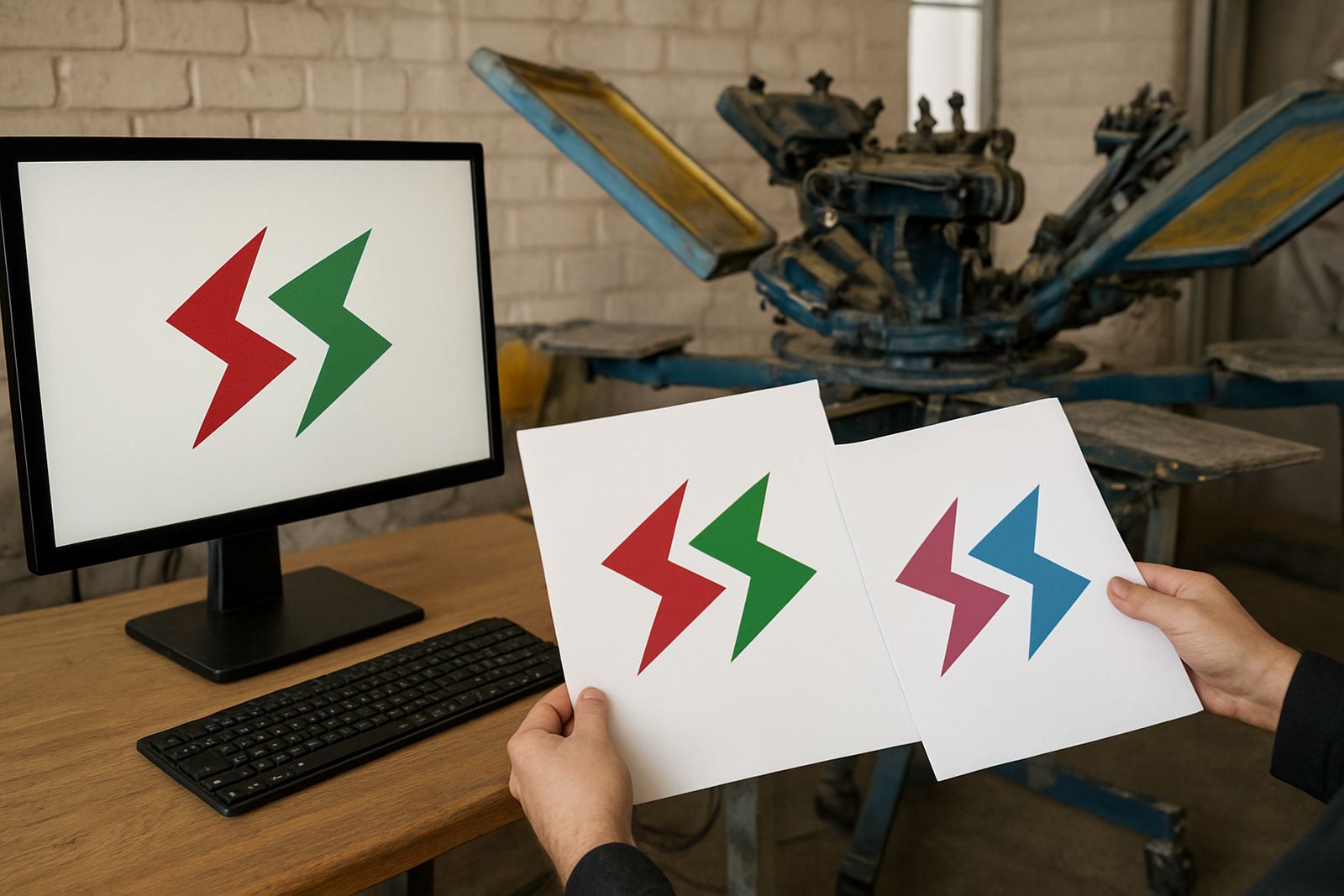
Another issue is colour. Many clients use a screen preview and assume the print will match exactly, but screens display colour differently from ink, fabric and banner material. A bright blue on a laptop can dry duller on cotton, and a deep red can shift slightly depending on the print method and substrate.
We often see files set up in RGB when the job needs colour separation for print work. That can lead to surprises at approval stage. If the artwork was not prepared with the final print method in mind, the colours may need adjusting before screen exposure or film output. It is better to confirm the intended shade early than to try and fix it after the first test print. A little checking up front saves time and money.
- Tell us whether the job is for cotton, polyester, caps or signage
- Send pantone references only if you already use them consistently
- Allow for slight variation between fabric types
- Ask for a printed proof when colour is critical
3. Fonts That Are Missing, Cracked or Too Thin for the Job
Text causes trouble more often than people expect. A school motto, sponsor name or contact detail may look fine in a design file but become a problem if the font is not outlined or embedded. If our team opens the file and the lettering has shifted, the layout changes and the approval slows down.
Thin script fonts are another risk. They can fill in on screen printing, especially on small items like caps or left-chest prints. In some jobs, the detail is so fine that it will not hold during exposure, washout and printing. For a practical result, strong lettering is usually the better choice, particularly where the artwork must be read from a distance or repeated across many garments.
- Convert fonts to outlines before sending if you know how
- Keep small text simple and legible
- Avoid overly narrow letter spacing
- Check spelling carefully, because one missing letter means rework
4. The File Was Not Set Up for the Real Print Size
A design made for A4 does not always work on a large banner, and a big logo may need trimming to fit a cap panel or sleeve print. Size is not just about scaling up. It also changes the weight of lines, the spacing between elements and the balance of the whole design. A file that is fine at 100 mm may look awkward at 300 mm.
For schools in Durban and Pietermaritzburg, we often see crest artwork sent with no clear size instruction. That means the file has to be adjusted before screen making or digital setup can begin. The same applies to club shirts, workwear and promo runs for local businesses. The cleaner the brief, the faster we can move into production and the less likely it is that the final print will need a second pass.
- State the exact print size where possible
- Send a sample photo of the garment or item
- Let us know if the print must sit on a pocket, cap front or back panel
- Remember that small details may need simplifying
5. Trapping, Separations and Transparency Problems Cause Printing Errors
Files with overlaps, transparent shadows or unseparated layers can create unexpected results in screen printing. If a logo has several colours touching each other and no proper traps, gaps may show between the colours after printing. If a soft shadow or transparent effect is left in the artwork, it may not reproduce cleanly on a solid fabric surface.
This is where colour separation and vector redrawing matter. They help us prepare each colour so the screen can hold a clean image. On jobs with bold blocks, outlines or multiple spot colours, the difference is obvious. Without the right prep, you can end up with fuzzy edges, misaligned parts or extra setup time. We would rather correct the file before exposure than try to force a difficult artwork through production.
- Do not rely on layered effects to print as-is
- Keep background transparency under control
- Use clean spot colours for screen work where possible
- Allow for screen registration on multi-colour designs
6. Missing Contact Details and Confusing Versions Slow Approval Down
Many delays are not about the art itself, but about the information around it. A file may arrive with no version name, no print size, no garment colour and no indication of which logo is the final one. Then the proof sits while everyone checks which artwork should be used. On busy runs, that can hold up school deliveries, club kit and trade orders across Durban and beyond.
For a smoother approval process, send one clear final file and mark any changes plainly. If there are several sponsors or departments, tell us which names must stay and which must be left out. The same applies to courier orders going to Ballito, Pinetown or further into KZN. Clear instructions make the whole job quicker, and they reduce the chance of a costly mistake. Simple, but it works.
- Label the final artwork version clearly
- Confirm quantities and delivery area early
- Mark any spelling or layout changes in writing
- Keep all decision makers on the same file version
Getting Artwork Right Before Production Saves Time and Money
In Umbilo and across Durban, the best results usually come from files that are checked before they go into screen making or digital print setup. Good artwork does not need to be fancy. It needs to be clear, correctly sized and ready for the method being used. That is especially important when the order is for uniforms, event wear or signage that has to look consistent across many items.
If your file needs vector redrawing, colour separation, film output, screen stretching or test printing, it is better to know at the start. Then we can guide the job properly and keep the finished print true to the brief. The aim is not just to make the artwork printable. It is to make sure the printed result matches what the client expected, with less stress and fewer delays.